A short list of what matters.
The rest can wait.

Max is a quiet planner for your tasks, notes and plans. You choose a few things a day and finish them one at a time.

Max's Home screen: today's task with its steps, a quick win, and the last 5 days Max's Home screen: today's task with its steps, a quick win, and the last 5 days

Home, as it looks today. Dark or light, your pick.

Your own pages

A blank page for everything else.

Click anywhere and write

No templates to fill in. Put a note wherever it makes sense to you.

Type -todo or -table

A checklist or a table appears right there. The Commands sheet lists every shortcut.

Add pictures

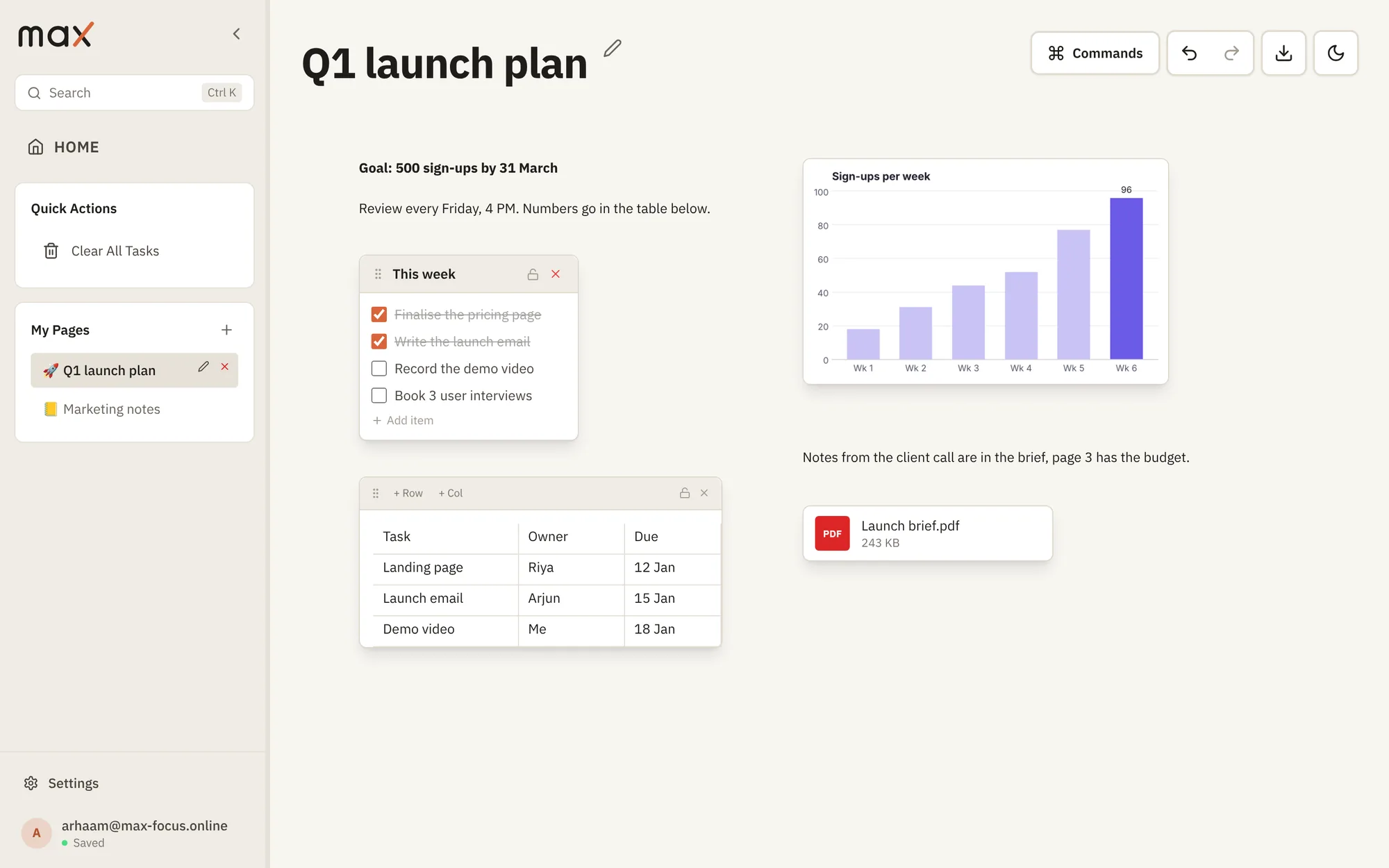
Charts, screenshots and photos sit next to the notes they belong to.

Attach PDFs and Word files

The brief from the client call stays with the plan it belongs to.

A page called Q1 launch plan with a goal, a checklist, a table, a chart and a PDF A page called Q1 launch plan with a goal, a checklist, a table, a chart and a PDF
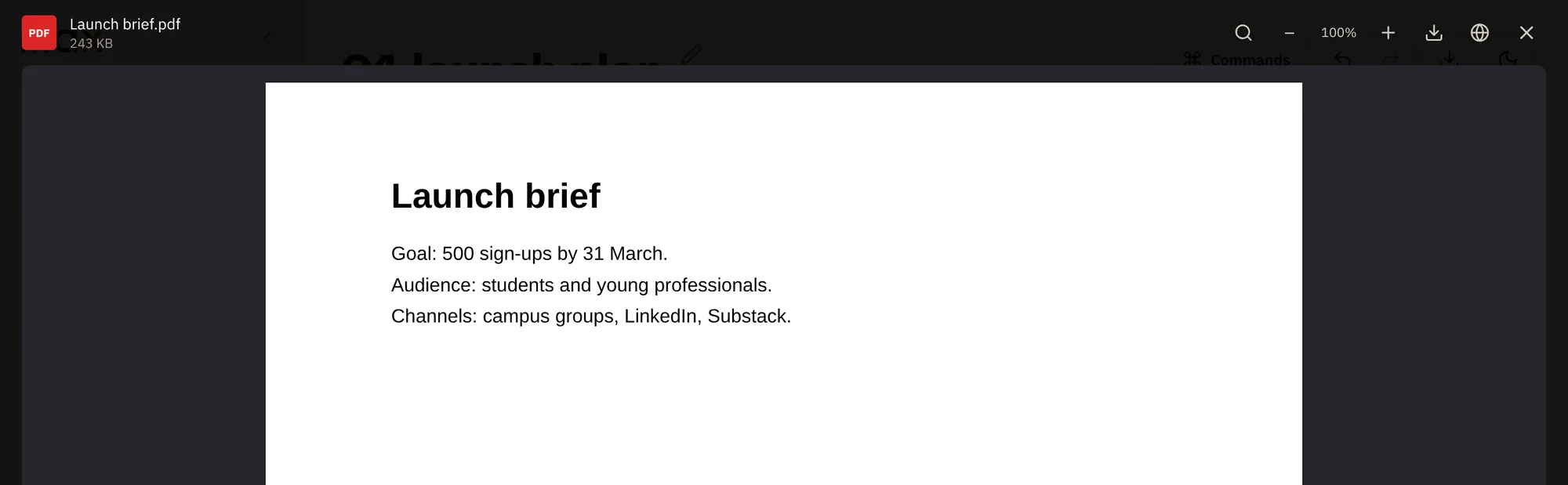
Launch brief.pdf open inside Max, with search, zoom and download Launch brief.pdf open inside Max, with search, zoom and download

Read files without leaving Max.

Click a PDF or a Word file on your page and it opens right there. Search it, zoom in, or download it from the same view.

Everything else, in the real app

These are screens from Max as it is today.

PagesNotes, checklists, tables, pictures and files, laid out the way you think.
A page with a checklist, a table, a chart and a PDF A page with a checklist, a table, a chart and a PDF
Last 5 daysSee what you got done, and tick off what you didn't.
The last 5 days timeline The last 5 days timeline
Three slotsOne task that matters, one quick win, one easy fallback for slow days.
A meaningful task with steps, due today at 5 PM A meaningful task with steps, due today at 5 PM
Focus modeThe task, its steps, a timer and notes. Everything else steps aside.
The focus timer with Start and Reset

Good to know

Free
Make an account and use all of Max. No card.
Laptop first
Built for laptops and desktops. Phones come later.
On every computer
Your tasks and pages are saved to your account.
Yours to take or delete
Download everything, or delete your account, from Settings. See the Privacy policy.

What's the one thing you want done today?

Write it in Max